

No products in the cart.
Sale!
Warning: Trying to access array offset on value of type bool in /www/wwwroot/rodport.com/wp-content/themes/alit_260907/woocommerce/single-product/product-image.php on line 37
Warning: Trying to access array offset on value of type bool in /www/wwwroot/rodport.com/wp-content/themes/alit_260907/woocommerce/single-product/product-image.php on line 37

Warning: Trying to access array offset on value of type bool in /www/wwwroot/rodport.com/wp-content/themes/alit_260907/woocommerce/single-product/product-image.php on line 37
Warning: Trying to access array offset on value of type bool in /www/wwwroot/rodport.com/wp-content/themes/alit_260907/woocommerce/single-product/product-image.php on line 37
camera
Available
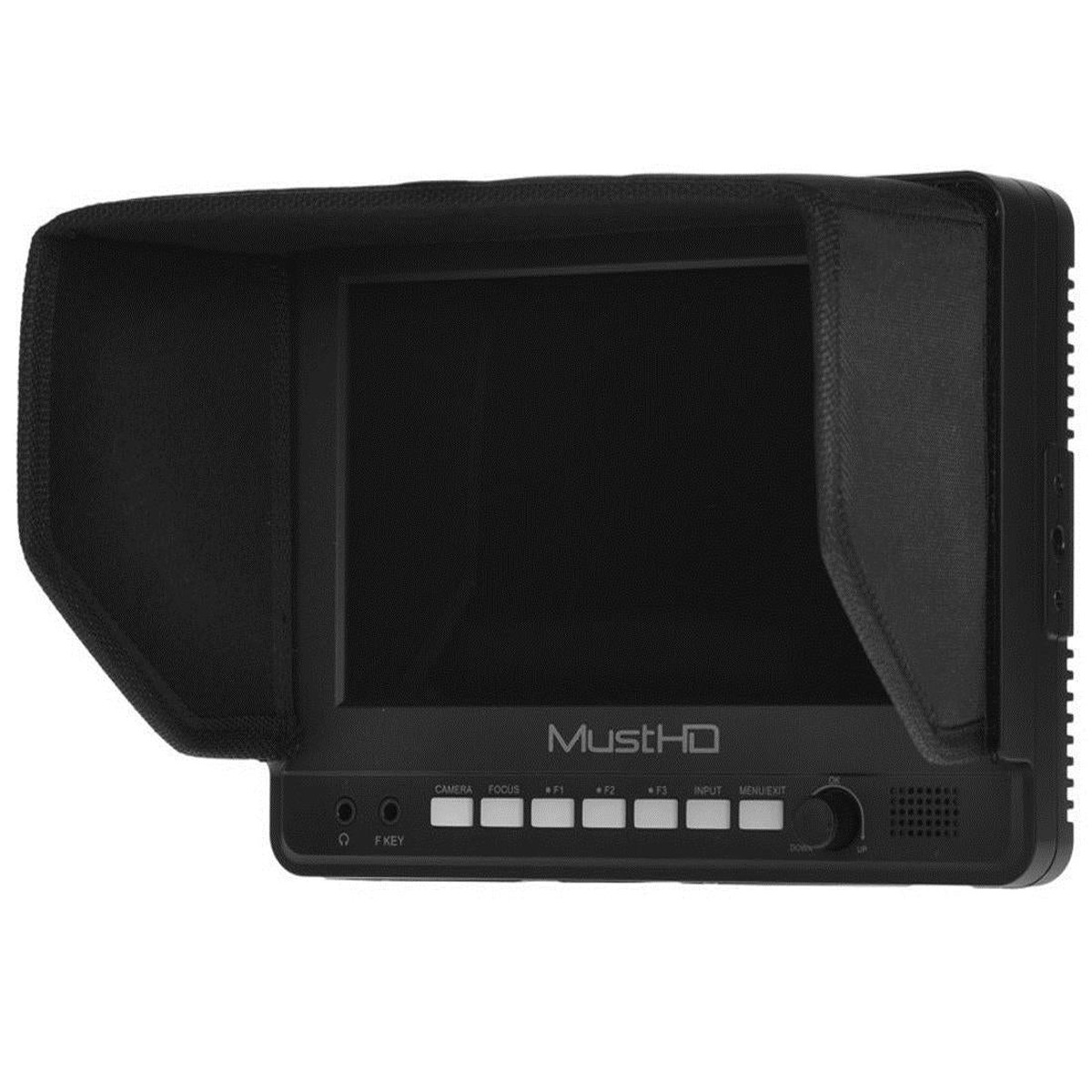
MustHD 7″ LCD HDMI On-camera Field Monitor with Focus Assist and Color Peaking
Original price was: $169.99.$85.00Current price is: $85.00.
Dispatch1–2 business days
Delivery7–14 days
ShippingFree on orders $40+
ReturnsView returns policy
Order totals are confirmed before payment.
The M700H is designed for the video enthusiast who needs an affordable field monitor. The M700H panel has vibrant colors and a wide viewing angle. To help insure correct focus and exposure it also has color peaking and false color functions. Several other features are a zoom function from 10% to 90% and dis-play marker to show aspect ratios.
Optional Battery Plates
The M700H can be powered by batteriesorAC adapter. It comes standard with a F970 battery plate and a AC adapter. Optional LP-E6 or D28S battery plates are available. If you need LP-E6 battery plate or D28S battery plate, please select them through the option list.
Sunhood
The de-tachable folding sun-hood helps when shooting in bright locations and also protects the screen in transit.
External Self-define Button Remote
TheMustHD helps make your work easier with the programmable wired 3 button remote. Easily set up your most used functions and be able to access them with the push of a single button. A hook and loop strap allows the remote to be attached to a tripod or frame.
Speaker and Audio Out
User can check the audio of the video by the speaker or audio out.
Focus
It helps the user to easily find the right focus by adding a sharp outline on the shape or boundaries of the object until the color indicator outlining the desired area indicates optimal focus. The peaking has three color options Red, Green and Blue.
Marker
When the Marker is activated, a border line of the Safety Area will be displayed inside the marker. To set the marker type between16:10, 16:9, 15:9, 1.85:1, 2.35:1 and 4:3. User can also self -define the maker type, marker transparency, marker color and marker thickness.
False Color
The False Color filter is used to aid in the setting of camera exposure. As the camera Iris is adjusted, elements of the image will change color based on the luminance or brightness values. This enables proper exposure to be achieved without the use of costly, complicated external test equipment.
Zoom
Used to magnify the image up to 1.4X, 5X, 10Xon a pixel basis and is displayed on full screen.
Single Color
It is an assistant function to adjust camera color settings. Under the single color mode, you can use red, green, blue or mono pixels to generate the image, because hue and saturation can be adjusted more quickly and accurately in this environment.
Pixel To Pixel
It provides pixel count info by using Pixel to Pixel mode. When the resolutionof the input video signal (ex. 1920×1080) is higher than that of the monitor (1024*600), only area equivalent to 1024*600 out of the 1920×1080 will be displayed in the [Pixel to Pixel] mode.
CameraMode
The advantageof switching to Camera mode (by pressing the button) is as follows(DSLR Scaling):
1) Fully using the screen display, while removing the black area that can be seen at auto-mode.
2) No distortion.
3) No black clip when starting video record.
H/V Mirror
It can flip the image horizontally/vertically.
Nine Grid
It helpsyou judge how to frame your pictures easily. Frame your pictures well and the quality of your shooting will improve immensely.It also can magnify the image of the chosen grid when you press the knob.
Related Products